
Cinematic Look AI Photos Me Kaise Laye – Beginner Se Pro Level Complete Guide
Introduction
Aaj ke time par AI image generation itna popular ho chuka hai ki almost har creator iska use kar raha hai. Lekin ek problem sabke saath common hai – image ban to jaati hai, lekin usme woh cinematic feel nahi aata jo high-quality movies ya professional shoots me hota hai. Image clean hoti hai, sharp hoti hai, lekin flat lagti hai. Aur yahi difference hota hai ek normal image aur ek cinematic image ke beech.
Cinematic look ka matlab sirf achha dikhna nahi hota, balki ek emotion create karna hota hai. Jab koi image dekhte hi aapko ek mood feel ho, ek story ka hint mile, ya ek atmosphere ka ehsaas ho, tab wo image cinematic kehlati hai. AI tools aaj itne advanced ho gaye hain ki aap bina camera ke bhi aise visuals create kar sakte ho, lekin uske liye sahi approach samajhna zaroori hai.
Bahut log sirf ek simple prompt likh dete hain aur expect karte hain ki output automatically cinematic aa jayega. Lekin reality ye hai ki cinematic look ek planned process hai. Isme lighting, color, depth, aur composition sab milkar kaam karte hain. Agar inme se ek bhi cheez miss ho gayi, to final image me wo impact nahi aayega.
Is article me hum step by step samjhenge ki AI photos me cinematic look kaise laya jata hai, kaunse hidden elements sabse zyada important hote hain, aur kaise aap apni images ko ek professional level tak le ja sakte ho.
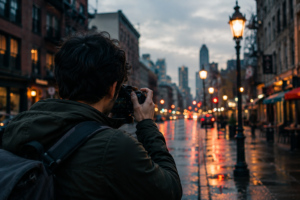
Cinematic Look Kya Hota Hai
Cinematic look ko simple words me samjhein to ye ek aisi visual style hoti hai jo movie jaisi feel deti hai. Isme sirf clarity ya resolution important nahi hota, balki image ka mood aur storytelling sabse zyada important hota hai.
Ek cinematic image me har cheez intentional hoti hai. Light random nahi hoti, balki ek direction se aati hai. Colors natural nahi, balki mood ke according slightly adjust hote hain. Background sirf empty space nahi hota, balki scene ka part hota hai. Subject sirf khada nahi hota, balki environment ke saath connect hota hai.
Agar aap ek normal image aur cinematic image ko compare karo, to cinematic image me depth aur emotion zyada hota hai. Ye aapko rok kar dekhne par majboor karti hai, jabki normal image sirf ek information deti hai aur aap scroll kar dete ho.
Isliye jab aap AI se image generate karte ho, to aapko sirf “image banana” nahi, balki “scene create karna” sochna chahiye. Ye mindset hi aapko average output se pro-level output tak le jata hai.
Cinematic vs Normal Image – Basic Difference
Normal AI images ka sabse bada issue hota hai ki wo overly clean aur flat lagti hain. Har cheez clearly visible hoti hai, lekin usme depth nahi hoti. Lighting evenly spread hoti hai, jisse image me koi highlight ya shadow play nahi hota.
Cinematic images iska opposite hoti hain. Inme contrast hota hai, matlab kuch parts bright hote hain aur kuch parts shadow me hote hain. Ye contrast hi image ko interesting banata hai. Iske alawa cinematic images me colors thode stylized hote hain aur background ka role strong hota hai.
Ek simple example samjho. Agar aap likho “ek ladka road par khada hai”, to output basic hoga. Lekin agar aap usme lighting, environment aur mood add kar do, to same scene cinematic ban jata hai.
Yahan samajhne wali baat ye hai ki subject change nahi hota, lekin presentation change hoti hai. Aur ye presentation hi cinematic feel create karti hai.
Lighting Ka Real Role
Lighting cinematic look ka backbone hai. Agar lighting sahi nahi hai, to baaki sab elements ka impact kam ho jata hai. AI image generation me bhi ye rule same apply hota hai.
Cinematic lighting generally directional hoti hai. Matlab light ek specific direction se aati hai, jaise side se ya back se. Isse subject ke ek side par highlight banta hai aur dusri side me shadow create hoti hai. Ye light aur shadow ka combination image me depth create karta hai.
Soft lighting bhi cinematic look me important hoti hai. Hard lighting se image harsh lag sakti hai, jabki soft lighting se natural aur smooth feel aata hai. Iske alawa low light scenes bhi cinematic feel dete hain, kyunki wo mood aur drama create karte hain.
Aap jab bhi prompt likho, to lighting ko ignore mat karo. Ye sabse powerful element hai jo image ka pura look change kar sakta hai.
Color Tone Aur Mood Creation
Cinematic images me color sirf decoration nahi hota, balki storytelling ka part hota hai. Alag-alag color tones alag mood create karte hain.
Warm tones ek cozy aur emotional feel dete hain. Cool tones professional aur serious vibe create karte hain. Dark tones suspense ya drama create karte hain. Ye sab aapke scene ke hisaab se decide hota hai.
AI prompt me agar aap color tone define karte ho, to output me clarity aati hai. Agar aap color mention nahi karte, to AI default natural colors use karta hai, jo cinematic feel nahi deta.
Yahan ek important baat ye hai ki over-saturation avoid karo. Cinematic look subtle hota hai, loud nahi. Balanced colors hi professional lagte hain.
Depth of Field Aur Visual Layers
Depth cinematic look ka ek hidden secret hai jo beginners aksar ignore kar dete hain. Agar image me depth nahi hai, to wo flat lagti hai chahe baaki sab sahi ho.
Depth create karne ke liye background ko thoda blur kiya jata hai aur subject ko sharp rakha jata hai. Isse viewer ka focus clear hota hai. Iske alawa foreground, midground aur background ka concept use karke image ko layered banaya jata hai.
Jab image me multiple layers hoti hain, to wo zyada realistic lagti hai. Ye exactly wahi technique hai jo movies me use hoti hai.
Camera Feel Aur Composition Basics
Cinematic look me camera ka feel bhi important hota hai. AI me aap directly camera use nahi kar rahe, lekin aap uska effect simulate kar sakte ho.
Different angles alag impact create karte hain. Close-up shot emotion dikhata hai, wide shot environment dikhata hai, aur low angle subject ko powerful banata hai. Composition ka matlab hota hai ki subject frame me kaise placed hai.
Agar aap har baar subject ko center me rakhoge, to image boring lag sakti hai. Thoda off-center placement image ko natural aur interesting banata hai.
Part 2 – Advanced Cinematic Tricks, Point-Wise Breakdown Aur Real Control
1. Cinematic Prompt Structure (Sabse Important Framework)
Agar aap random prompt likhoge, to output bhi random aayega. Cinematic look lane ke liye ek fixed structure follow karna zaroori hai.
Ek strong cinematic prompt me ye elements hone chahiye:
- Subject – image me kya hai
- Environment – subject kahan hai
- Lighting – light kis direction se aa rahi hai
- Camera Feel – lens ya angle
- Color Tone – mood kaisa hai
- Extra Details – atmosphere, depth, effects
Ye sab combine karne se AI ko clear direction milti hai.
Example:
“A man sitting alone in a dark cafe, soft side lighting, 85mm lens, shallow depth of field, warm cinematic tones, moody atmosphere”
Is tarah ka structured prompt hi cinematic result deta hai.
7
2. Negative Prompt (Clean Output Ka Secret)
Bahut log isko ignore kar dete hain, lekin ye ek hidden powerful feature hai.
Negative prompt ka use unwanted cheeze remove karne ke liye hota hai.
Aapko ye cheeze avoid karni hoti hain:
- blurry output
- low quality textures
- distorted face ya body
- extra fingers ya unnatural shapes
- overexposed ya underexposed lighting
Ek basic negative prompt aap har image me use kar sakte ho:
“blurry, low quality, distortion, bad anatomy, overexposed, underexposed”
Ye aapki image ko clean aur professional banata hai.
3. Lighting Types (Point-Wise Samjho)
Cinematic look ka 50% game lighting ka hota hai. Agar aapne lighting sahi choose kar li, to image automatically improve ho jati hai.
Common Cinematic Lighting Types
Soft Side Lighting
Subject ke ek side par light, dusri side shadow
→ depth create hoti hai
Back Lighting
Light subject ke peeche hoti hai
→ glow effect aur dramatic look
Golden Hour Lighting
Sunset wali warm light
→ premium aur emotional feel
Low Light / Dark Scene
Thoda darkness + selective light
→ moody cinematic feel
Rule: Flat lighting avoid karo, directional lighting use karo.
4. Color Grading (Mood Control System)
Color grading se aap image ka mood control karte ho.
Popular Cinematic Color Styles
Teal & Orange
Background cool, skin warm
→ movie jaisa look
Warm Tone
Yellow/orange feel
→ cozy aur emotional
Cool Tone
Blue shade
→ professional aur serious
Dark Moody Tone
Low brightness + deep shadows
→ dramatic feel
Tip: Over-saturation mat karo, subtle colors hi cinematic lagte hain.
5. Depth of Field (Professional Look Ka Shortcut)
Agar aapko instantly cinematic feel chahiye, to ye use karo.
Kya Add Karein Prompt Me
- shallow depth of field
- blurred background
- bokeh effect
Result Kya Milega
- Subject sharp dikhega
- Background soft blur hoga
- Image me depth aayegi
Ye ek simple trick hai jo image ko amateur se pro bana deti hai.
6. Layering Technique (Foreground + Background)
Cinematic images kabhi flat nahi hoti.
3 Layers Use Karo
- Foreground – front me koi element (blur ho sakta hai)
- Midground – main subject
- Background – environment
Example
“A man standing on road, blurred lights in foreground, city buildings in background”
Result: 3D feel aati hai
7. Motion Add Karna (Image Ko Zinda Banana)
Static image boring lag sakti hai. Thoda motion add karne se realism increase hota hai.
Use Karne Wale Elements
- rain drops
- smoke
- wind effect
- flying dust
- moving hair
Ye small details cinematic feel ko boost karti hain.
8. Camera Feel & Lens Details
Ye ek pro-level trick hai jo beginners ignore karte hain.
Prompt Me Add Karo
- 85mm lens
- DSLR photography
- cinematic shot
- depth of field
Impact
- Background natural blur
- Real camera jaisa feel
- Professional output
9. Editing Workflow (Final Polish)
AI se image generate karne ke baad thoda edit karna zaroori hota hai.
Basic Editing Steps
- brightness slightly adjust karo
- contrast increase karo
- sharpness thodi badhao
- color tone fine tune karo
Ye chhote changes image ko premium bana dete hain.
10. Common Mistakes (Avoid Karna Zaroori Hai)
Agar aapko cinematic result nahi mil raha, to ye mistakes check karo:
- sirf “HD” likhna
- lighting define na karna
- over complicated prompt
- depth ignore karna
- color tone mention na karna
Simple aur clear prompt hi best result deta hai.
Part 3 – Pros & Cons, FAQs, Final Conclusion Aur Action Plan
Ab tak aapne cinematic look ke fundamentals aur advanced techniques dono samajh liye hain. Ab zaroori hai ki aap overall picture clear karo—ye approach aapke liye kitni useful hai, kaha dikkat aa sakti hai, aur kaise aap ise practically apply kar sakte ho. Is part me hum balanced view lenge taaki aap smart decision le sako.
Pros and Cons ko samajhna
Cinematic AI images powerful hoti hain, lekin har cheez ki tarah iske bhi advantages aur limitations hote hain. Dono samajhna zaroori hai.
Pros
1. Professional Output Without Heavy Setup
Aapko expensive camera, lens ya studio ki zarurat nahi padti. Sirf sahi prompt aur thodi understanding se aap high-quality cinematic visuals bana sakte ho. Ye beginners ke liye entry easy bana deta hai.
2. Fast Content Creation
Jahan ek real photoshoot me planning, shooting aur editing me hours lagte hain, wahin AI ke saath aap minutes me multiple cinematic images generate kar sakte ho. Ye speed content creators ke liye bahut valuable hai.
3. Unlimited Creative Control
Aap aise scenes create kar sakte ho jo real world me shoot karna mushkil ya impossible ho. Weather, lighting, location—sab aap control kar sakte ho. Creativity ke liye ye ek strong advantage hai.
4. Easy Experimentation
Aap ek hi concept ke multiple variations try kar sakte ho. Lighting change karo, color tone change karo, mood change karo—sab kuch quickly test ho jata hai. Isse learning fast hoti hai.
5. Scalable Workflow
Agar aap client work ya social media content karte ho, to aap bulk me cinematic images create kar sakte ho. Ye aapki productivity aur output dono increase karta hai.
Cons
1. Consistent Result Har Baar Nahi Milta
Kabhi-kabhi same prompt par bhi output vary karta hai. Isliye patience aur multiple attempts ki zarurat padti hai.
2. Learning Curve Hota Hai
Cinematic look sirf tool use karne se nahi aata. Aapko lighting, color aur composition samajhna padta hai. Beginners ko shuru me thoda time lag sakta hai.
3. Over-Processing Ka Risk
Agar aap zyada effects ya heavy color use karte ho, to image artificial lag sakti hai. Balance maintain karna zaroori hai.
4. Real Emotion Capture Limitations
AI mood create kar sakta hai, lekin real-life emotions jaise candid moments ya natural expressions utne authentic nahi hote jitne real photography me hote hain.
FAQs – Common Doubts Clear Karein
Q1. Kya sirf “cinematic” word add karne se cinematic image ban jaati hai?
Nahi. Ye sirf ek keyword hai. Real cinematic look tab aata hai jab aap lighting, color aur depth properly define karte ho.
Q2. Cinematic look ke liye sabse important factor kya hai?
Lighting sabse critical hai. Agar lighting sahi hai, to baaki elements automatically better feel dete hain.
Q3. Kya beginner bina experience ke cinematic images bana sakta hai?
Haan, lekin thodi practice zaroori hai. Direct perfect result expect karna realistic nahi hai.
Q4. Kya AI image ke baad editing zaroori hoti hai?
Basic editing jaise contrast, brightness aur color adjustment se image ka final look kaafi improve hota hai.
Q5. Kya har image me cinematic style use karna chahiye?
Nahi. Cinematic look tab use karo jab aapko mood ya storytelling highlight karni ho. Har image cinematic hona zaroori nahi.
Q6. Kya cinematic AI images se earning possible hai?
Haan. Aap thumbnails, social media content, blog visuals aur client projects ke liye use karke earning generate kar sakte ho.
Final Conclusion – Real Truth Samjho
Cinematic look koi magic trick nahi hai jo ek click me mil jaye. Ye ek process hai jisme aapko clarity, patience aur practice chahiye. AI ne is process ko easy zaroor bana diya hai, lekin result abhi bhi aapke understanding par depend karta hai.
Agar aap sirf basic prompt likh kar result expect karte ho, to aap average output hi dekhoge. Lekin agar aapne lighting, color, depth aur composition ko consciously apply karna start kar diya, to aapki images ka level completely change ho jayega.
Yahan ek simple rule yaad rakho—tool sabke paas same hai, lekin output unka better hota hai jo us tool ko samajh kar use karte hain. Cinematic thinking hi aapko dusron se alag banati hai.
Action Plan – Aaj Se Kaise Start Karein
Agar aap sach me cinematic AI images banana chahte ho, to ye step-by-step plan follow karo:
Step 1: Basic Scene Choose Karo
Koi simple concept lo, jaise portrait ya street scene. Complex se start mat karo.
Step 2: Structured Prompt Likho
Subject, lighting, environment aur color tone clearly define karo. Random words avoid karo.
Step 3: 3–4 Variations Generate Karo
Ek hi prompt ke multiple outputs nikalo. Har baar thoda tweak karo.
Step 4: Best Image Select Karo
Jo image sabse balanced lage, usse choose karo.
Step 5: Basic Editing Karo
- Contrast thoda increase karo
- Brightness adjust karo
- Color tone fine tune karo
Step 6: Consistency Maintain Karo
Daily 10–15 minute practice karo. Ek hi style par kaam karo jab tak control na aa jaye.
Step 7: Apna Style Develop Karo
Dusron ko copy mat karo. Dheere-dheere apni unique look create karo.
Final Line
Cinematic look ek skill hai jo samajhne aur apply karne se aati hai. AI sirf ek tool hai—real difference aapki thinking aur execution create karti hai. Agar aapne is process ko seriously follow kiya, to aapki images sirf achhi nahi, balki memorable ban sakti hain.
Future of AI Photography – Kya Photographers Replace Honge Ya Game Aur Bada Hoga?